And why the cheapest solution isn’t always the right one - but the right solution should at least outlive the person who requested it.
The Setup
A startup came to us with a familiar request: the product works, customers are happy, now let’s do things properly. IaC, security, automation, repeatability.
Standard stack: a bunch of Lambda functions, a couple of EC2 instances, RDS, a dozen S3 buckets, Cognito, DynamoDB, Glue, Amplify, API Gateway. Nothing extraordinary.
We delivered Terraform, GitHub Actions pipelines, clean environment separation. Everything deployed to dev, tested, looked good.
Then came the metrics conversation.
“We Need Grafana”
They had the standard Lambda metrics in CloudWatch - invocations, duration, errors, throttles, the usual list from the AWS docs. No custom metrics, nothing exotic.
We started building CloudWatch dashboards. Reasonable choice: the data was already there, no extra infrastructure, native AWS integration.
Then, on a call:
“We need Grafana. I’m used to Grafana, it’s more convenient for me, we need to do it in Grafana.”
The person making this request was the project manager.
Well… okay. I mean, if it’s that important to someone…
What “Just Grafana” Actually Means on ECS
Here’s the thing about running a Grafana stack on AWS ECS: there’s no such thing as “just Grafana.” You need the whole ecosystem.
We ended up with:
- Victoria Metrics - TSDB for metrics storage, Prometheus-compatible, excellent compression
- VMAlert - alerting engine on top of Victoria Metrics
- Loki - log aggregation, storing actual data in S3, indexing only labels
- Grafana - visualization, connecting to Victoria Metrics and Loki
- Blackbox Exporter - probe monitoring for HTTP/TCP endpoints
- Yet Another CloudWatch Exporter (YACE) - this one deserves a separate note
Why YACE and not the native CloudWatch datasource?
Grafana does have a built-in CloudWatch plugin, but it wasn’t a good fit here. The native plugin queries CloudWatch directly on every dashboard refresh - which means API costs and latency on every panel load. More importantly, it returns metrics in CloudWatch’s own format without the labels you need to build meaningful dashboards in Prometheus style.
YACE solves this properly: it scrapes CloudWatch metrics on a schedule, enriches them with the right labels (function name, environment, service - whatever you need), and pushes everything into Victoria Metrics. From there, Grafana queries VM with PromQL just like any other Prometheus source. Clean, fast, consistent.
The log ingestion pipeline
For logs we needed two separate pipelines:
CloudWatch Logs: We attached a subscription filter to every log group. This triggers a Lambda function on each log update - no polling, no API calls on a schedule. Not the most elegant Terraform code (a for_each over every log group, with a Lambda permission and subscription filter per group), but reliable and cost-effective.
CloudTrail: CloudTrail writes to an S3 bucket, so we used S3 bucket notifications to trigger a separate Lambda that parses and ships the events to Loki.
Both Lambdas decompress, parse, enrich with labels, and forward to Loki. The split approach kept things clean and avoided a single Lambda trying to handle two completely different data formats and triggers.
Supporting infrastructure:
- 3x EFS volumes (Grafana dashboards/plugins, Loki indexes, Victoria Metrics data)
- 2x S3 buckets (Loki log storage, CloudTrail source)
- ECR (custom Docker images - more on this below)
- GitHub Actions pipelines for image builds
- S3 VPC endpoint (you do NOT want Loki’s S3 traffic going through NAT Gateway)
- Service discovery, SSM Parameter Store for secrets
The ECS ConfigMap problem
Kubernetes lets you mount config files as ConfigMaps directly into containers. ECS doesn’t have this concept - which is why every config change means rebuild + redeploy.
This means any config change - Grafana datasource, Loki retention policy, VMAlert rule - requires:
- Update the config
- Rebuild the Docker image
- Push to ECR
- Update the ECS task definition
- Redeploy the service and wait for tasks to cycle
Alternatives exist. You can mount configs via EFS - but getting files onto EFS requires launching an EC2 instance in the right VPC with correct security groups and IAM. It works, but it’s surprisingly hard to automate properly, which matters a lot in an IaC-first setup. We tried the S3-at-startup approach too (entrypoint script pulls config on container start), but that introduces additional IAM permissions and more moving parts to manage. In the end, baked-in configs with the rebuild cycle was the most predictable option, even if it wasn’t the most elegant.
Total time to build, configure, and make it look beautiful: approximately one month of engineering work.
It did look beautiful, though.
The Status Page Bonus
While we were at it, they asked for a status page.
We built a Python Lambda that runs every 5 minutes, pulls pre-calculated metrics from Victoria Metrics, generates an HTML page, and uploads it to S3 behind CloudFront. Simple, reliable, costs almost nothing extra - as long as you’re already running Victoria Metrics.
That last part becomes relevant later.
Six Months Later
The PM who “needed Grafana” left the project.
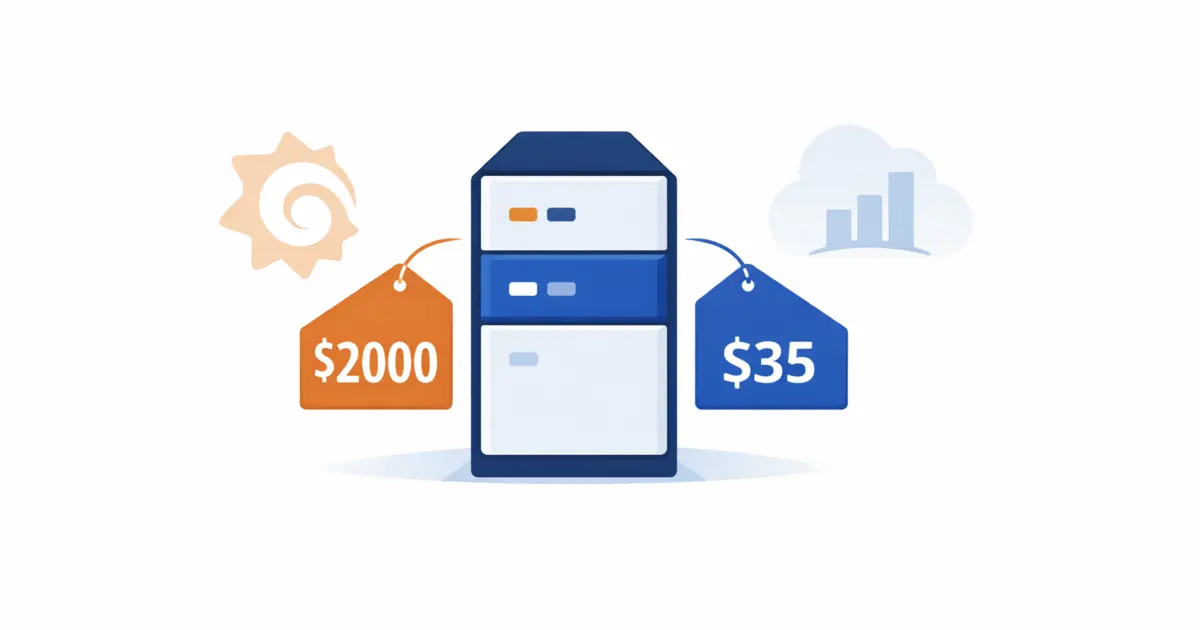
During a routine cost review, someone noticed a line item: roughly $2,000/year for the observability stack infrastructure alone. Not counting the month of engineering work to build it. Not counting ongoing maintenance and config changes via image rebuilds.
The decision was straightforward: migrate back to CloudWatch dashboards.
And that status page Lambda that pulled from Victoria Metrics? Since Victoria Metrics was going away, it had to be replaced too - rewritten to pull from CloudWatch instead. One more thing to migrate, courtesy of the tight coupling.
They replaced the status page with a free external service in the end. Simpler.
Clean. Done. $2k/year saved.
But Was It a Failure?
Here’s where the story gets more interesting than “expensive mistake, lesson learned.”
It wasn’t a failure.
During those six months with proper dashboards, alerts, and log aggregation, the team found performance bottlenecks they didn’t know existed. Lambda cold start issues. Inefficient queries. Functions running longer than necessary.
They fixed them. Faster Lambda means cheaper Lambda. The performance improvements almost certainly recovered more than $2,000/year in compute costs.
But - and this is the important part - the same insights were available in CloudWatch all along.
The bottlenecks didn’t require Grafana to find. They required looking, which they started doing because now there were dashboards. CloudWatch dashboards would have prompted the same investigation.
The Actual Cost Comparison
Let’s put real numbers on this for a similar stack: 50 Lambda functions, 2 EC2 instances, 1 RDS, 10 S3 buckets, 1 EFS. Region: us-east-1.
CloudWatch: ~$35–40/month
- Lambda metrics (standard): $0 (free)
- EC2 detailed monitoring: ~$5
- RDS + S3 metrics: ~$3
- Lambda logs (~20GB/mo): ~$8
- EC2 + RDS logs (~10GB/mo): ~$3
- CloudTrail ingestion: ~$2
- Alerts (40 alarms): ~$4
- Dashboards (2 extra): ~$6
- Log storage/archive: ~$1
Grafana on ECS: ~$105–145/month
- Lambda metrics: $0 (via YACE)
- EC2 + RDS + S3 metrics: $0
- Lambda logs (~20GB/mo): ~$1 (S3 via Loki)
- EC2 + RDS logs (~10GB/mo): ~$0.3 (S3)
- CloudTrail ingestion: ~$1 (Lambda + S3)
- Alerts: $0 (VMAlert)
- Dashboards: $0
- Log storage/archive: ~$0.7 (S3)
- ECS infrastructure: ~$80–120
- EFS volumes: ~$15
- ECR storage: ~$2
- YACE CloudWatch API calls: ~$1
Grafana Cloud: ~$31–35/month
- Lambda metrics (standard): $0 (included)
- EC2 + RDS + S3 metrics: $0
- Lambda logs (~20GB/mo): ~$6
- EC2 + RDS logs (~10GB/mo): $0 (in free tier)
- CloudTrail ingestion: ~$2 (Lambda + S3)
- Alerts: $0 (Grafana Alerting)
- Dashboards: $0
- Log storage: included
- Pro plan: $19/month
- YACE / CloudWatch plugin: ~$1–5
A few things worth noting:
CloudWatch costs are deceptively variable. The $35–40 estimate assumes you’re not using custom metrics heavily. Enable Container Insights on ECS and you’ll generate ~150 custom metrics per cluster - that’s $45/month added silently. Use Lambda EMF (Embedded Metrics Format) at scale and you can end up with thousands of custom metrics before you realize it. At $0.30/metric/month, that adds up fast.
Grafana on ECS has a fixed cost floor that doesn’t grow with data volume. If you’re generating 400+ custom metrics, the math flips - $120/month in CloudWatch custom metrics alone vs. the same ECS infrastructure cost regardless of metric count.
Grafana Cloud wins on price for this scale - but costs grow linearly once you exceed 10k active series or 50GB logs/month. For a startup at this size, it’s likely the most economical managed option.
Data transfer is mostly a non-issue if you plan ahead. S3 has a free Gateway VPC Endpoint. With that in place, Loki’s S3 traffic costs nothing extra. YACE calls CloudWatch API through NAT Gateway (CloudWatch doesn’t have a Gateway Endpoint), but the actual data volume is small - if your NAT Gateway already exists for other reasons, this is essentially free.
“I Want X” - And What To Do With It
In infrastructure consulting, you’ll frequently hear: “I need Grafana,” “we should use Kubernetes,” “let’s move everything to microservices.”
These requests come from different places. Sometimes genuine technical requirements. Sometimes personal familiarity. Sometimes a blog post someone read last week.
The job isn’t to say no. The job is to ask:
What problem are we actually solving? In this case: visibility into application performance. Both CloudWatch and Grafana solve that. The difference is cost, setup time, and operational complexity.
Who owns this long-term? A system built around one person’s preferences is a liability when that person leaves. This isn’t a criticism of anyone - it’s just a real factor in the total cost of ownership that rarely makes it into the architecture discussion.
What’s the simplest path to the outcome? Sometimes the boring solution is the right solution. Sometimes paying more upfront for something better is absolutely worth it - better UX leads to better observability habits, which leads to real performance improvements. The trick is knowing which situation you’re in before you spend the month building it.
In this case, the Grafana stack wasn’t wrong. It delivered real value. It was just optimized for the wrong constraint.
The Hidden Cost
The $2,000/year infrastructure cost was visible on the AWS bill. What wasn’t visible:
- One month of engineering time to build the initial stack
- Ongoing maintenance: config changes required image rebuilds and redeployments
- The status page Lambda that had to be rewritten when Victoria Metrics went away - tight coupling that wasn’t obvious until migration time
- Institutional knowledge that left with the PM and the engineer who built it
None of these show up as a line item. All of them are real costs.
Before Your Next Infrastructure Decision
The most expensive infrastructure mistakes I see aren’t the obvious ones - accidentally leaving a large EC2 instance running, forgetting S3 lifecycle policies, enabling CloudWatch Container Insights without realizing it generates hundreds of custom metrics.
The expensive mistakes are the architectural ones: systems built for one person’s preference, complexity added without a clear cost-benefit analysis, solutions that work perfectly until the person who built them leaves.
An infrastructure audit - looking at what you’re actually running, what it costs, who depends on it, and whether it’s still serving its original purpose - is one of the highest-ROI things a growing startup can do.
Sometimes you find the $2,000/year Grafana tax.
Sometimes you find something much more expensive.
I help teams audit and optimize their AWS infrastructure: costs, security gaps, architectural debt, and the systems that outlived their original purpose. If this story sounds familiar - let’s talk.